
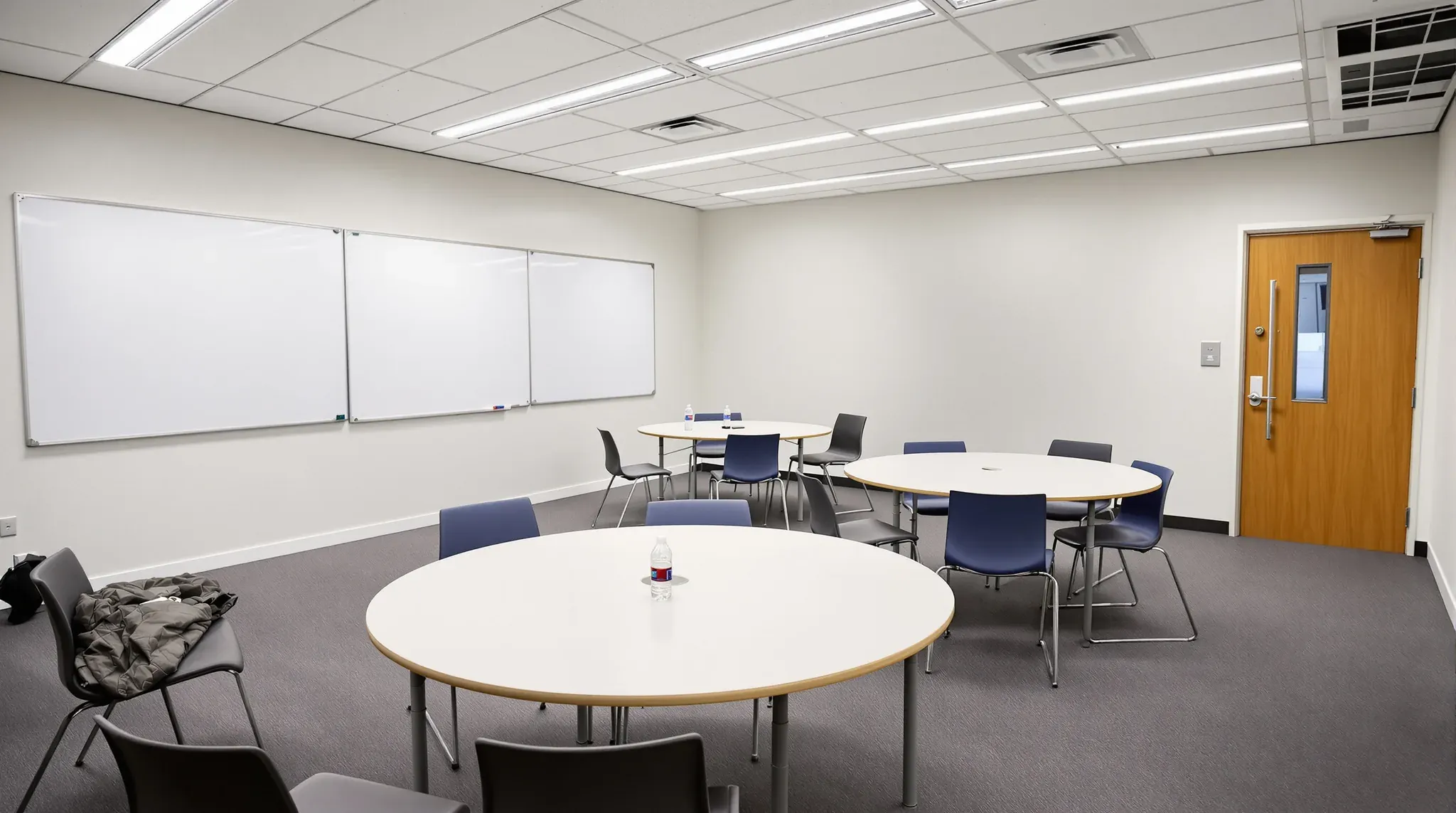
A lecture room is designed around one person speaking from the front. A flat floor teaching room at a university is designed around groups of students working at their own tables, each group with a screen and a whiteboard, while the lecturer moves between them and brings the class together for short periods. Lecture rooms and school classrooms gather their screens and writing surfaces on one teaching wall. A collaborative room spreads them across several walls, the floor and the ceiling.
A common brief turns a seminar room, an older classroom or a flat lecture room into a room of group tables. Each university works to its own design standard for these rooms, and its AV team designs and supplies the technology. One detailed example is the collaborative learning space standard (opens in a new tab) published by the University of Queensland. Our part of a university fitout is the building work the technology sits in.
Displays and Whiteboards on Several Walls
Each group has to see its own display and reach its own whiteboard, so a collaborative room carries several screens and long runs of writing surface around its walls. That standard asks for multiple displays and for whiteboards that every table can use at the same time. It puts the bottom of each display at least 1200 mm above the floor, so students can see it over the heads of the people in front.
Before a wall is sheeted, every display position gets blocking, which is timber or steel fixed between the studs so the bracket screws into something solid. Each position also needs a recessed outlet with power and data in the wall behind the screen. We set these out from the AV team's drawings, because moving a screen after the lining is on means cutting the wall open again.
A wall-mounted whiteboard is heavy, and its weight sits forward of the wall. The vitreous enamel steel board the same standard names is mounted on a backing board and hangs on Z-clip rails, light metal strips that bend between fixings if the wall behind is uneven. Where a wall is out of plumb we pack it with battens so the rails sit straight, and we frame each board so students can see where the writing surface stops.
If a group projects onto a painted wall, the plasterboard is finished to Level 5, the highest finish in AS/NZS 2589, with a skim coat over the whole face so the joints do not show through the image. Between the boards, a chair rail protects the lining from tables on castors. Where sessions are filmed, the standard asks for neutral, mid-tone wall colours rather than bright white or strong colour, which cause problems on camera.
A display with its bottom edge at that height needs a tall wall, so in a room with a low ceiling we check the top of the largest screen against the ceiling line before the walls are set out. That standard suggests raising the ceiling of an existing room where it is low.
A Floor Box Grid for Table Power
In a training room set out in rows, outlets on the walls and a few floor boxes along the rows can serve everyone. Group tables in the middle of a flat floor sit too far from a wall for that. The same standard asks for a grid of power across the floor, with no power drops hanging from the ceiling and no surface-mounted floor boxes, because the drops block sightlines and the surface boxes are a trip hazard that limits how the room can be arranged.
Each box sits flush with the floor under a lid that closes over the plugs, with a small hatch for the lead to pass through. The tables carry their own outlets and plug into the box with a removable lead, so tables on castors can still be pulled apart for a different class.
The tables are the university's furniture order, but their size sets our grid. the university prefers tables for six, about 1600 mm across, with at least 1.6 m between tables where chairs sit back to back. We draw that plan at full size and set the boxes out from it.
On a concrete slab, each box goes into a hole cored through the slab. SafeWork NSW's code of practice asks for drill positions to be marked and scanned before coring, and for a structural engineer's advice before structural elements are cut. The slab is scanned for reinforcement, post-tensioning tendons (steel cables stressed inside the slab) and buried conduit, and the positions are usually approved through the university's facilities team.
Where a scan shows a tendon or conduit under a planned box, the box moves to clear concrete nearby. We agree how far each box can shift while the table plan is still on paper.
A cored box is normally fed from the ceiling of the room below. The standard does not allow new cables in the room below a learning space in a refurbishment, so on a campus with a rule like that, the cable routes are agreed before the grid is fixed.
Where the building has a raised floor, the boxes drop into the floor panels and the cables run in the void underneath. Where the acoustic target calls for it, the void under the wall to the next room is packed with insulation so sound does not pass beneath the wall.
The Lectern and the Cable Routes Behind It
The lectern is the room's equipment point. In that standard the AV rack is housed inside the lectern, which also holds the presenter's camera and a charging unit for the lapel and handheld microphones. The lectern is usually the university's standard unit, and the AV design, equipment and software belong to the AV integrator, one of the other trades on the job.
We build the cable routes to it. Large bundles of power and AV cable that have to be kept apart need generous conduit with long, sweeping bends, so the cables can be pulled in now and replaced later without opening the floor. From the lectern's floor box, those routes run to each display wall, up into the ceiling for the microphones, speakers and any projector, and across to the wall where the room camera is mounted.
Under the university's arrangement, the building contractor installs the cabling and fits the connectors at each end from the AV team's cabling schedule, and the AV team supplies and connects its own equipment. That schedule is one of the first documents we ask for, because the conduit sizes and the wall blocking are set from it.
The lectern's position is decided with the sightlines. the university asks that it does not block any display or whiteboard, and that there is enough clear floor behind it for a wheelchair user to turn 180 degrees. That sets how far the lectern stands from the wall and where its floor box goes.
Ceiling Microphones, Speakers, Lighting and Wi-Fi
Much of what lets a full room hear and be recorded sits in the ceiling. The same standard calls for ceiling microphone arrays to pick up group discussion for recorded or streamed sessions, speakers for amplification, and lighting in separately dimmed zones for the lectern, the whiteboards and the seating, controlled from the AV panel. It also asks for Wi-Fi access points to be fixed where they can be seen, not hidden above the tiles.
We can build the room with a suspended ceiling of lift-out acoustic tiles, which meets the university's request for a matte, sound-absorbing ceiling that opens easily for servicing. The same standard warns against custom tiles that are hard to replace. Every device is set out on the reflected ceiling plan, the drawing of the ceiling as seen from below, together with the diffusers, sprinklers and detectors, before we hang the grid.
A ceiling grid is light, so the weight of each item decides how it is held up. Grid makers' installation guides put the weight of a light fitting on the main tees and add hangers beside it. We tie microphone arrays back to the slab with a suspension cable rather than to the grid, and hang a projector from the slab on a rigid mount, because the standard asks that a projector does not shake.
Microphones also need distance from noise. One mounting guide asks for the array to be kept away from air conditioning vents, ceiling speakers and projectors, so we check the diffuser positions against the AV layout on the same drawing and move whichever item can move.
Walls to the Slab and Doors That Seal
Group work is loud, and a recorded session picks up whatever comes through the walls. That standard asks for better separation and a lower background noise level where recording is a substantial use of the room. An acoustic consultant usually sets the targets, working from AS/NZS 2107 and the industry's acoustic guideline for educational buildings.
We can take the walls through the ceiling void to the slab, which the university prefers to insulation blankets laid over the ceiling tiles. Blankets get pushed aside whenever a tile is lifted to reach the AV equipment and are not always put back. Before relying on an existing wall, we lift the ceiling tiles beside it to see whether it reaches the slab and what it is built from, since the standard warns against assuming either.
The metal tracks at the top and bottom of each new wall are fixed to the slab and sealed with acoustic sealant, and every cable, box and duct through the wall is sealed as it goes in. The mechanical contractor routes the air so it does not carry voices between rooms, using lined ducts or crosstalk attenuators (silencers that stop sound travelling through a shared duct) where needed. The same contractor selects diffusers quiet enough for the consultant's background level.
The same standard asks for windows between a teaching room and the corridor, with frosting where needed, and rules out frameless glass pivot doors because they do not isolate the room from the corridor. Its acoustic standard prefers swing doors with seals the door presses against at the head, jambs and threshold, and laminated glass in any vision panel. The door takes a delayed-action closer, and the swipe card reader and the booking panel beside it each need power and data, which we run inside the wall before it is lined.
Assistive Listening and Its Signage
The standard asks for an assistive listening system for hearing aid users in its collaborative rooms. The National Construction Code calls for hearing augmentation in a room in a Class 9b building, the class that covers universities, where an inbuilt amplification system is installed. Whether a particular room falls under that is confirmed with the certifier.
The AV integrator chooses the system. Our part is the cable route for it and a place on the wall for the sign the code asks for, which shows the type of system, the area of the room it covers and where to collect a receiver if one is needed, with the international symbol for deafness.
Building Between Semesters on a Live Campus
Teaching rooms are timetabled through each semester and are often used for exams after classes end, so coring, wall cutting and opening the ceiling go into the break between semesters. Work on a live campus runs like most education fitouts, with the rooms either side still in use. We agree access routes, deliveries and noisy hours with the facilities team, and keep dust behind sealed screens.
Inside the room we start at the floor with the cores and floor boxes, then frame the walls with their blocking and conduit, hang the ceiling grid and its services, and finish with linings, whiteboards and paint. The AV team then needs clear time to install and test before teaching starts, and we leave that time in the programme.
Sign-off starts before the build. Under that university's process the design team submits a checklist against the standard at the end of design development, the university's project manager signs off compliance, and any departure from the standard is signed off by the client representative. Other universities run their own versions, and we build to whichever standard comes with the brief.
We can build a flat floor teaching room around the university's AV drawings, from the floor box grid up to the ceiling grid, and sequence the work into the break between semesters.
📞 Call us on 1300 60 93 93