
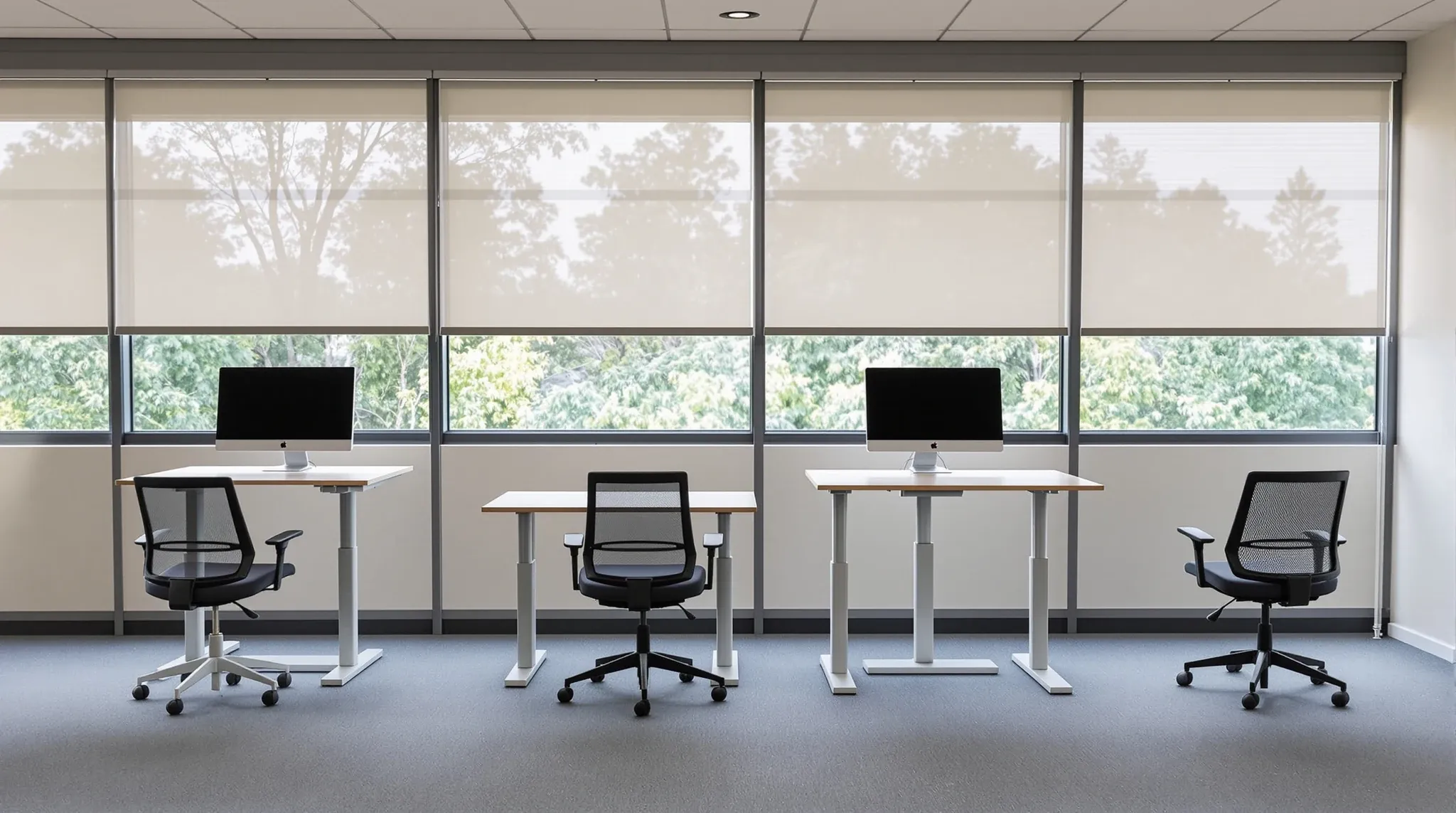
Ergonomics in the office fitout context covers far more than the chair-and-desk discussion most tenants associate with the word. It covers the dimensions of the workspace, the lighting, the sightlines, the acoustic environment, the climate, and the movement patterns the layout encourages or prevents. Most of these decisions get made at the fitout stage, locked into the floor plan and the spec, and then live with the tenancy for the lease term.
The reason ergonomics keeps getting reduced to a furniture conversation is that the furniture is the visible part. Desks and chairs sit in the showroom and on the procurement schedule and are easy to specify against published guidance. The harder ergonomic decisions, the ones embedded in the layout and the partition spec and the lighting plan, are less visible. They tend to be settled by the design team without explicit ergonomic framing, and that is where the gaps appear.
Workspace dimensions and clearances
Desk depth, desk width, the clearance behind the desk, and the spacing between desk lines are all ergonomic decisions, even when they are made for floor-plate efficiency reasons. A 1,400-millimetre desk gives most users genuine working width for a primary monitor, a secondary screen, and document space. A 1,200-millimetre desk is at the edge for users with two monitors. A 1,000-millimetre desk is a hot-desk dimension that compromises sustained focus work.
The clearance behind a desk affects the user’s ability to push back, rotate, and shift posture across the day. A 750-millimetre clearance to a wall or partition is usable; a 600-millimetre clearance is tight; below 600, the user is fixed in front of the screen. Spacing between back-to-back desk lines should usually sit at 1,500 millimetres or more for comfortable circulation behind seated users.
The dimensions add up. A floor plate that delivers 100 desks at 1,200 millimetres depth and 600-millimetre rear clearance has more nominal capacity than the same floor plate at 1,400 millimetres and 750-millimetre clearance, but the ergonomic experience is sharply different. The trap most tenants fall into is counting desks rather than counting usable workstations. The capacity claim is real on paper. The user experience an hour into the day is not.
Sightlines and visual ergonomics
Where staff look matters as much as where they sit. Sightlines to glare sources (windows without blinds, reflective surfaces, ceiling-mounted screens), to motion (corridors, kitchen lines), and to other staff (across desks, into meeting rooms) all affect the cognitive load of focused work. A workstation facing a busy circulation route puts the user into distraction-recovery loops; a workstation facing a wall or a non-distracting view supports focus.
The fitout decisions that shape this are desk orientation within the layout, partition heights between zones, glass partition treatments (clear, frosted, fritted), and the placement of meeting rooms relative to focus zones. Putting a meeting room with a clear glass wall directly across from a desk line creates a constant visual stimulus the desk users have to filter all day. We see this pattern most often in tenancies that prioritised maximum daylight transmission through every glass partition; the daylight came in, but so did everyone’s view of every meeting room. Frosted or patterned glass at chest-to-eye height on meeting room fronts solves this without losing the upper-panel daylight.
Visual ergonomics also covers the user’s screen environment. Monitor mounting, screen height relative to eye level, and the option to adjust screen distance all sit in furniture territory but the layout has to support them. A desk pushed against a partition with no rear clearance limits how far back the screen can sit, which forces a closer viewing distance than ergonomic guidance recommends.
Lighting ergonomics
Lighting is one of the larger ergonomic levers and one of the most often under-specified at the fitout stage. The relevant variables are light level on the work surface, glare on the screen, colour temperature, and the variation across the day. Office lighting that is uniform, glare-controlled, and tunable across colour temperatures supports sustained visual work better than fixed-output flat lighting.
The fitout decisions are the lighting plan, the lux levels delivered to the work surface (typically 400 to 500 lux is comfortable for screen-and-paper work), the glare rating of the fixtures, and the control system. Lighting that cannot be adjusted by zone tends to over-light some areas and under-light others, which staff compensate for with task lights at their desks. Office lighting design has a meaningful impact on whether the original specification holds up day-to-day.
Daylight integration sits alongside artificial lighting. A floor with abundant daylight needs different artificial lighting than a deep floor with limited daylight reach. The fitout’s lighting controls should respond to daylight conditions, dimming or boosting depending on the time of day and the cloud cover. This is well-established commercial-fitout territory. It is also one of the items most often value-engineered down to fixed-output lighting that ignores the daylight contribution. The uplift from daylight-responsive controls is invisible; the saving is on the spreadsheet.
Acoustic ergonomics
Acoustic conditions are an ergonomic factor in the same way lighting is: they affect the cognitive performance of the user across the day, the comfort of focused work, and the recovery time after distraction. Ergonomic acoustic specification is less about achieving a low absolute noise level and more about controlling the variation. An office with steady low-level background sound is more ergonomic than one with quiet stretches punctuated by loud events, because each loud event triggers a cognitive recovery cycle.
The trap in acoustic ergonomics is treating it as a finish question rather than a functional one. Acoustic panels and felt baffles look like decoration, but their ergonomic value is in the absorption coefficient and the placement, not the visible surface. A fitout that buys acoustic-looking finishes without the underlying performance gets the visual without the function. The pattern repeats often enough that we now recommend tenants ask their design team for the absorption ratings of any acoustic panel being specified, before approving the line item.
Movement and posture variety
The body responds badly to a single sustained posture across the working day. Ergonomic fitout design supports posture changes through layout decisions and furniture choices in combination. Sit-stand desks are the visible move, but the layout-side moves are larger: kitchens placed to encourage movement, breakout zones at sensible distances from desks, meeting rooms distributed rather than clustered, stairs presented as a viable option for in-building movement.
Sit-stand desks deliver their value when staff actually use the standing mode. The fitout decisions that affect that are the desk’s ease of adjustment (electric lift desks get used more than crank-handle versions), the visibility of the rest of the office in standing mode (users avoid standing if they feel exposed), and the cultural norms set by the layout (a single sit-stand in a sea of fixed desks rarely gets used).
Posture variety extends to the variety of work settings available, not just the variety of postures at one desk. A user who can move from a desk to a focus pod to a casual lounge zone across the day has more posture variety than a user with a sit-stand desk and nowhere else to go. The layout-level decisions about variety and movement contribute more to posture ergonomics than the desk decision alone.
Climate ergonomics
Air temperature, humidity, and ventilation rate all affect cognitive performance and physical comfort. The fitout-side reach into climate is more limited than the building-side reach, but the fitout’s layout, partition density, and zoning all influence how the mechanical system performs in occupied use.
Heavy partitioning of a previously open floor plate reduces the air-conditioning system’s ability to deliver even comfort across the space. Closed offices with no dedicated air supply can run hot and stuffy, particularly with afternoon sun exposure. The fitout decisions that affect climate ergonomics are partition layout against the existing mechanical zoning, the addition of dedicated air supply to enclosed rooms, and the avoidance of air paths that create draughts at desk lines.
Where the base building is marginal, fitout decisions can compensate to a degree. Where the base building has spare capacity, fitout decisions can capture that capacity for occupant comfort. Tenants moving into spaces with known climate issues should brief their fitout to address them directly rather than assume the new finish will mask the underlying problem.
Where ergonomics gets traded off
The most common late-stage trade-offs in fitouts cut against ergonomics. Acoustic specification gets reduced when the budget needs savings, because the saving is invisible until staff move in. Lighting plans get simplified to fixed-output downlights for the same reason. Desk widths shrink to fit more desks in the same floor plate when capacity counts get pushed. Sit-stand desk numbers get cut when the per-desk uplift is hard to defend on a spreadsheet.
The pattern is consistent: ergonomic decisions tend to lose to spec-visible decisions in late-stage value engineering. Tenants who want the ergonomic outcome have to either lock the relevant items in early as non-negotiable, or accept that the trade-offs at the end of the design phase will quietly erode the ergonomic position.
If you are working through an office fitout brief and want the ergonomic decisions held in alongside the visible spec, we can walk through the brief and the budget on a complete office fitout and flag where the trade-offs are likely to land if the budget tightens later in the design.
📞 Call us on 1300 60 93 93