
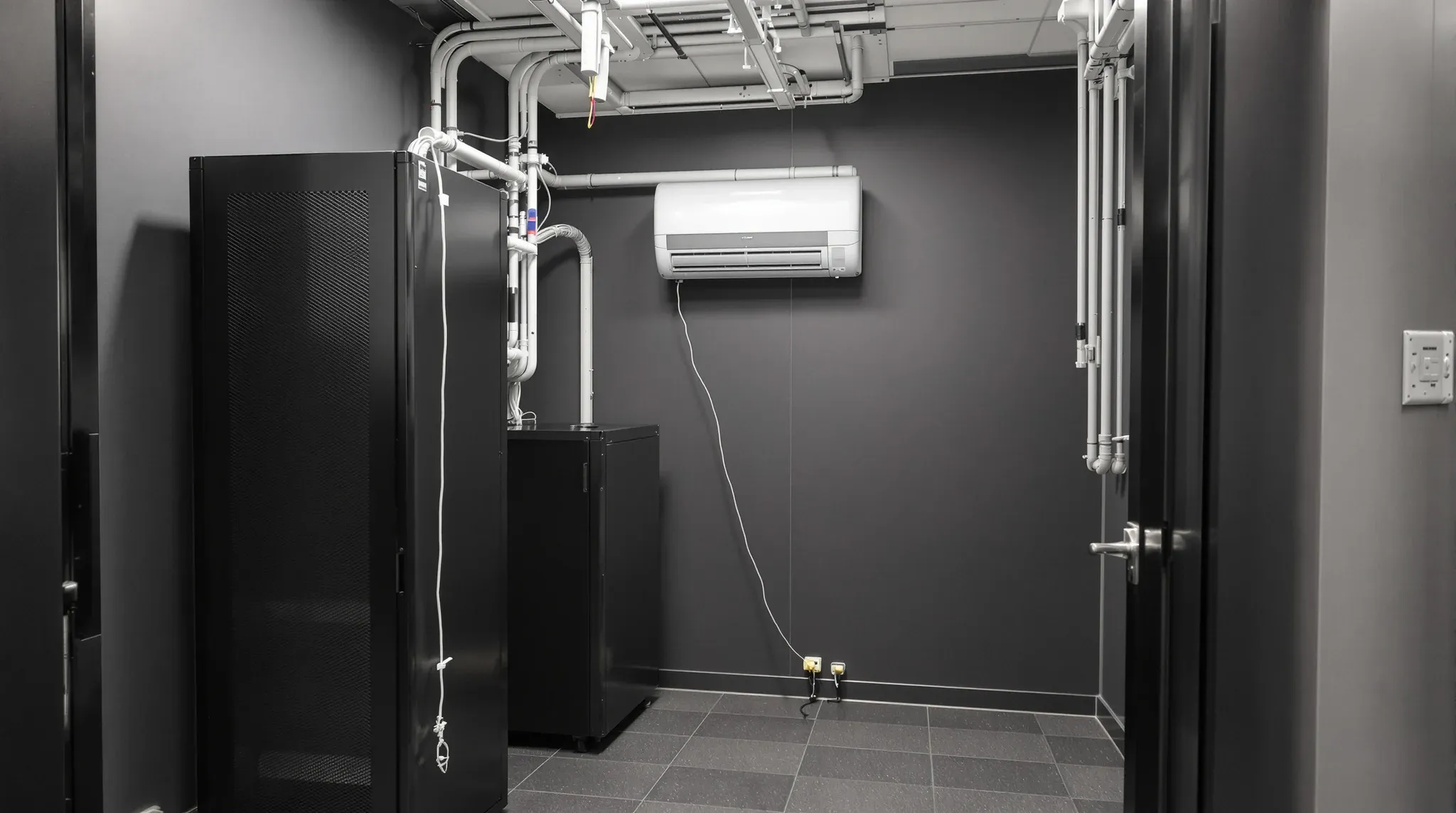
A server or comms room is one of the smallest rooms in an office fitout, and its size and position are set by equipment rather than people. It has to fit its racks with working space on both sides of them and sit close enough to the desks that no data cable run is too long. It also has to hold a steady temperature around the clock, because the equipment inside turns almost every watt it draws into heat.
All of that is cheap to settle on the drawings and expensive to change once the walls are up and the network is live. The rooms we see struggling were usually placed last, in whatever space was left after the layout was agreed, and sized to a cupboard rather than to what goes inside it.
How Big a Server Room Needs to Be
There is no single minimum size that suits every office, because the room is sized from the equipment out. The drivers are the number of floor-standing cabinets, their depth, the clear working space in front of and behind each one, and a walkway around the end so a technician can get from the front of the rack to the back. A full-height floor-standing rack is typically around a metre deep before any of that clearance is added.
Published room standards give a useful sense of scale. The UNSW communications design standard, for example, calls for at least a metre of clearance from the front and rear of each cabinet and a metre at the side, and works out to a minimum of 6.3 square metres for a room holding one cabinet, 9.1 square metres for two and 12 square metres for three. Those figures are written for university buildings, so an office tenancy will set its own brief, but the logic of cabinet plus clearance on every working side is the same.
The door is part of the sizing too. It has to be wide enough to get a cabinet through, and it has to open without swinging into the clear space in front of the racks. For a very small tenancy with only a switch and a patch panel, a lockable wall-mounted cabinet can replace a room altogether, provided the wall behind it has the framing to carry the weight.
What Else Takes Space Inside the Room
The racks are rarely the only thing in the room. The carrier's incoming equipment, a wall-mounted distribution frame, the uninterruptible power supply, the cooling unit and sometimes a small electrical board or security panel all need a home. When we set out a comms room we place each of these outside the clearance zones around the cabinets, because a UPS parked in front of a rack turns every future change into a job of moving things first.
How much spare rack and floor space to leave for future growth is a separate decision tied to headcount, and it belongs with the wider electrical and data planning for growing teams. What matters for the room itself is that any allowance for extra cabinets is drawn in with its own clearances, so the room still works when it fills up.
Weight is the other thing to check early. A loaded rack and a UPS with its batteries concentrate a lot of mass on a small footprint, and in some buildings that affects which part of the floor can take the room. Where it is heavy enough to matter, it gets checked against the floor loading limits for the tenancy before the room position is fixed.
Where a Server Room Should Be Located
A server room should be reasonably central to the area it serves, away from wet areas, and somewhere it can be cooled and reached without walking through someone's office. Central matters because every data outlet on the floor is cabled back to it. Under the AS/NZS 3080 cabling standard the fixed horizontal run from the patch panel to the outlet is limited to 90 metres, with the full channel including patch leads limited to 100 metres.
Measured on a plan, 90 metres looks generous, but cables do not travel in straight lines. They rise into the ceiling, follow the cable tray, drop down walls and wander through workstations. The UNSW standard allows for this by keeping the measured route on the plan to about 65 metres. A room tucked into a far corner of a large floor can push the longest runs close to the limit, which is one reason the location should be tested against the furthest desk before it is locked in.
Water is the main thing to keep away. Published room standards rule out water pipes passing through the room, and UNSW's goes further and rules out rooms directly above, below or beside wet areas. On a typical office floor that means keeping the comms room away from kitchens, bathrooms and any ceiling void that carries hydraulic pipes. The same standard also recommends keeping the room away from electrical switch rooms, electrical risers and major mechanical plant, so we check the base building drawings for those before the room is placed.
A few more practical points shape the final position:
- Closeness to the building's communications riser, which shortens the run for the carrier's incoming services
- A route for the cooling unit's pipework and condensate drain that does not pass over the racks
- A lockable door opening onto a corridor or back-of-house area rather than a workspace
- Distance from quiet rooms, since the cooling runs continuously
Heat Is What the Room Is Built Around
The power drawn by IT equipment is almost entirely converted to heat, so the heat a comms room has to shed is set by the equipment's power draw rather than the size of the room. The UPS adds its own losses on top of that. In a small, sealed enclosure there is nowhere for that heat to go on its own, and the temperature keeps climbing until something removes it.
The usual target is the ASHRAE recommended range of 18 to 27°C, measured at the air intakes of the equipment rather than somewhere else in the room. That distinction affects where the cooling unit is mounted and which way it blows. A unit that cools the far corner of the room while hot exhaust air recirculates into the front of the rack can show a comfortable reading on the wall and still let the equipment run hot.
For us, this means the cooling is sized to the heat load the IT provider gives us, including the UPS, and positioned so cool air reaches the front of the cabinets. When we price a comms room without that load, we ask for it, because the cooling unit and its power supply are selected from it.
Cooling That Keeps Running After Hours
In most office buildings the base-building air conditioning runs to set operating hours, with after-hours running arranged and charged separately. A comms room runs all night and all weekend, so it generally needs its own dedicated cooling that does not depend on the building system being on. The operating hours of base-building air conditioning are one of the constraints to confirm before the room is designed.
A dedicated unit brings its own coordination. The outdoor condensing unit needs an approved location, the refrigerant pipework needs a route through the ceiling, and the condensate drain needs a fall to a drain point, all of which usually have to be confirmed with building management. We keep that pipework clear of the space above the cabinets, since a blocked or leaking drain is a water source inside the one room that must stay dry.
Monitoring is the last piece. Some published room standards call for the dedicated cooling to be monitored through the building management system, so that a failed unit raises an alarm instead of being found on Monday morning. Where the building offers that connection we allow for it, and where it does not, a temperature alert is still something to arrange with the IT provider.
Power Resilience for the Comms Room
The rack equipment should sit on a dedicated circuit with UPS backup, so a fault elsewhere on the floor cannot take the network down. The cooling unit usually needs its own supply as well, and both circuits are far simpler to run while the ceiling and walls are open. The electrician needs the rack and cooling loads early for the same reason we do: the circuits, the UPS and the space for it are all selected from them.
How far the resilience goes is a business decision that has to be made before equipment is selected. A UPS sized to ride through a short interruption and shut systems down cleanly is a very different unit from one expected to hold the network up for hours. The decision should also account for what else depends on the network during an outage, since access control, security cameras and building systems may all rely on the switches in that room.
The UPS itself needs planning as a physical object. It takes floor space outside the cabinet clearances, adds heat to the room and has batteries that will be replaced over its life, so it needs access. Some buildings have an essential supply or generator that tenant equipment can connect to, and whether that is available is a question for building management early in the design.
Building the Room into the Fitout Programme
The walls around a comms room usually carry a fire rating, sound isolation from the cooling and a high number of cable penetrations that all have to be sealed. The detail of getting those plasterboard partitions in comms rooms and plant spaces right is its own specification, and it is set once the room's size and position are fixed.
Sequencing is where a comms room most often goes wrong. The room is where the structured cabling terminates, so its position has to be fixed before the cabling is designed, and it has to be enclosed, powered and cooled before the racks and active equipment arrive. When the room is built as one scope inside a complete office fitout, the partitions, electrical, mechanical and cabling trades work to the same room position and the same programme.
That timing also sets the date the IT provider can start installing. A room that is finished and holding temperature a few weeks before the move gives the IT cutover in an office fitout room to test the network before staff arrive.
We build comms rooms as part of the fitout programme, fixing the room's position early and running its dedicated power and cooling before the ceiling closes, so the racks go into a finished room that is already holding temperature.
📞 Call us on 1300 60 93 93